Your network is a bustling city of connected devices, each with its own unique identifier that helps it find its way home. Think of this identifier as a digital street address, crucial for everything from ensuring your smart speaker plays your favorite song to preventing a malicious actor from sneaking onto your corporate server. This essential component is the MAC address, and mastering MAC Address Security and Network Management is a non-negotiable step in safeguarding your digital perimeter.
While often overlooked in favor of more visible security layers, the humble MAC address plays a foundational role in how your devices communicate. Understanding its mechanics, vulnerabilities, and the strategies to secure it isn't just for IT professionals; it's vital for anyone managing a home network, running a small business, or simply striving for better personal digital hygiene.
At a Glance: Essential Takeaways on MAC Address Security
- What it is: A MAC (Media Access Control) address is a unique hardware identifier hardcoded into every network device, like a serial number for your Wi-Fi card.
- How it works: It operates at Layer 2 (Data Link Layer) of the OSI model, facilitating direct communication between devices on the same local network (LAN).
- Not an IP address: MACs are physical addresses for local delivery; IP addresses are logical addresses for routing across the internet.
- Spoofing is a major threat: Attackers can change their device's MAC address to impersonate legitimate devices, bypassing security controls.
- Key security measures: MAC filtering, Network Access Control (NAC), port security on switches, and VLAN segmentation are powerful defenses.
- Privacy vs. Management: MAC address randomization on modern devices improves user privacy but complicates network management.
- Actionable steps: Knowing how to find your device's MAC address is the first step towards better security and troubleshooting.
Your Device's Digital Fingerprint: What is a MAC Address?
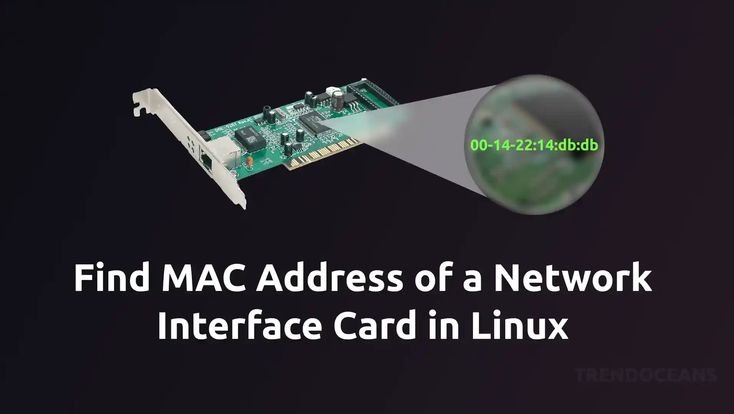
Every single device capable of connecting to a network – your laptop, smartphone, smart TV, router, even your printer – comes equipped with a unique identifier burned into its network interface card (NIC) by the manufacturer. This is its Media Access Control, or MAC, address. It's a fundamental piece of your device's identity on a local network, enabling it to send and receive data frames with precision.
Imagine a large apartment building (your local network). Each apartment (device) has a unique unit number (MAC address). When a package (data frame) needs to be delivered to a specific apartment, the delivery person (network switch) uses that unit number to ensure it reaches the right recipient, without having to know the resident's name (IP address) or where they travel globally.
Structurally, a MAC address is a 48-bit identifier typically represented as six pairs of hexadecimal digits separated by colons or hyphens, like 00:1A:2B:3C:4D:5E. The first half of this address (the first three pairs) is known as the Organizationally Unique Identifier (OUI), which identifies the manufacturer of the network card. The second half is a unique serial number assigned by that manufacturer, ensuring no two MAC addresses are supposed to be identical globally. This global uniqueness is a cornerstone of how networks manage local traffic.
Operating at the Data Link Layer (Layer 2) of the OSI model, MAC addresses are the workhorses of local network communication. They don't concern themselves with how data travels across the internet; their job is to make sure data packets, once they arrive at your local network, get to the exact right device within that local segment.
The Choreography of Local Networks: How MAC Addresses Work
To truly appreciate the nuances of MAC address security and network management, it's essential to grasp their role in the intricate dance of network communication.
When your laptop sends data to your wireless printer, here’s a simplified look at the steps:
- Data Link Layer Operation: Your laptop's operating system packages the data into frames. Each frame is stamped with both your laptop's MAC address (source) and the printer's MAC address (destination).
- Frame Transmission: This frame is then sent out onto your local network segment.
- Switching Intelligence: Network switches, the traffic cops of your LAN, play a crucial role. They maintain a "MAC table" (or forwarding table), which maps specific MAC addresses to the physical ports on the switch where those devices are connected. When the switch receives your laptop's frame, it looks up the destination MAC address (the printer's) in its table and forwards the frame only to the port where the printer is connected. This prevents unnecessary traffic flooding the entire network.
- ARP and IP Resolution: What if your laptop knows the printer's IP address but not its MAC address? That's where the Address Resolution Protocol (ARP) steps in. ARP's job is to translate a Layer 3 (IP) address into a Layer 2 (MAC) address. Your laptop sends out an ARP request (a broadcast asking, "Who has this IP address? Tell me your MAC!"), and the printer responds with its MAC address, allowing the laptop to build the data frame correctly.
- Unicast Communication: This one-to-one data delivery is the most common use of MAC addresses, ensuring specific target devices receive the data meant for them.
- Broadcast and Multicast: While unicast is specific, MAC addresses also facilitate broader communication. A special MAC address (FF:FF:FF:FF:FF:FF) is used for broadcast, sending data to all devices on a local network. Multicast uses other special MAC addresses to send data to a specific group of devices.
- Troubleshooting: Because they are tied directly to hardware, MAC addresses are invaluable for network troubleshooting. If you see a device with an unknown MAC address on your network, it could signal an unauthorized connection. They also help identify specific devices experiencing issues or misconfigurations.
Essentially, MAC addresses are the foundation for orderly communication within your local network segment. Without them, switches wouldn't know where to send specific data, and your network would devolve into chaos.
MAC vs. IP: Knowing the Difference is Key
A common point of confusion for many network users is distinguishing between a MAC address and an IP address. While both are critical identifiers, they serve fundamentally different purposes and operate at different layers of your network. Grasping this distinction is paramount for effective MAC Address Security and Network Management.
Think of it this way:
- Your MAC address is like your physical home address. It tells delivery services exactly where to find your house on your local street. This address is typically permanent, stamped on your property deed (your device's hardware).
- Your IP address is like your mailing address or your phone number. It allows communication from anywhere in the world to reach your general location or device. This address can change (e.g., if you move or get a new phone number), but it directs traffic across the vast "postal system" (the internet) to your specific location.
Here’s a breakdown of the core differences: - Layer of Operation:
- MAC Address: Works at the Data Link Layer (Layer 2), responsible for node-to-node data transfer within a local network segment.
- IP Address: Operates at the Network Layer (Layer 3), handling the routing of data between different networks (e.g., across the internet).
- Uniqueness & Persistence:
- MAC Address: Intended to be globally unique, assigned by the NIC manufacturer, and generally permanent, tied to the hardware.
- IP Address: Can be reassigned by a network administrator or DHCP server, and is unique only within its assigned network or the internet at large for a given session.
- Purpose:
- MAC Address: Identifies devices on the same local network for direct data frame delivery.
- IP Address: Routes data packets between different networks and devices, acting as a logical address for end-to-end communication.
- Format:
- MAC Address: A 12-character hexadecimal string (e.g.,
AA:BB:CC:DD:EE:FF). - IP Address: IPv4 (e.g.,
192.168.1.1) or IPv6 (e.g.,2001:0db8:85a3:0000:0000:8a2e:0370:7334). - Scope:
- MAC Address: Confined to the local area network (LAN) or broadcast domain.
- IP Address: Can be local (private IP) or global (public IP), used across the entire internet.
Understanding that MAC addresses facilitate local delivery while IP addresses handle global routing is fundamental. A device needs both to communicate effectively: the IP address gets the data to the correct network, and the MAC address ensures it lands on the correct device within that network.
The Dark Side: MAC Address Spoofing and Its Dangers
While MAC addresses are designed to be unique and fixed, they can be changed through software – a practice known as MAC address spoofing. This capability, while sometimes used for legitimate reasons (like privacy or troubleshooting), also presents a significant security loophole that threat actors frequently exploit.
MAC address spoofing is akin to changing the license plate on a car to impersonate another vehicle or avoid detection. When an attacker spoofs a MAC address, their device takes on the identity of another, potentially trusted, device on the network. The risks associated with this seemingly simple act are surprisingly far-reaching:
- Bypassing MAC-Based Access Control: Many networks implement MAC filtering (allowing only specific MAC addresses to connect). Spoofing a permitted MAC address grants an unauthorized device immediate access, rendering this security measure useless.
- Impersonation for Man-in-the-Middle (MITM) Attacks: An attacker can spoof the MAC address of a legitimate gateway (like your router) or another client, positioning themselves between two communicating parties. They can then intercept, read, and even modify traffic before forwarding it, all without either party knowing they're being monitored.
- Network Flooding/Denial of Service (DoS): By spoofing multiple MAC addresses rapidly or spoofing critical network device MACs, an attacker can confuse switches, forcing them to flood all traffic to all ports (making the network act like an old hub), or overloading ARP tables, ultimately degrading network performance or causing a complete outage.
- Session Hijacking: If an attacker can spoof the MAC address of a client actively logged into a system, they might be able to hijack that session, gaining unauthorized access to services or data without needing to re-authenticate.
- Bypassing IP Filtering: While MAC filtering is common, sometimes IP filtering is used. By combining MAC spoofing with IP spoofing, an attacker can fully impersonate a trusted device, circumventing multiple layers of security.
- DHCP Spoofing: Attackers can spoof a DHCP server's MAC address and offer clients bogus IP configurations, redirecting their traffic through the attacker's machine.
- Circumventing Device Tracking: Organizations often track devices by their MAC addresses for inventory or policy enforcement. Spoofing can allow an employee to bypass these controls, using an unauthorized device or evading usage policies.
- Undermining Intrusion Detection/Prevention Systems (IDS/IPS): If security systems rely on MAC addresses to identify and track known threats or suspicious activity, a spoofed MAC can allow an attacker to fly under the radar or attribute malicious actions to an innocent device.
- Intercepting Encrypted Communication: Even if traffic is encrypted (e.g., via HTTPS), MAC spoofing can facilitate MITM attacks where the attacker establishes separate encrypted connections with both parties, decrypting and re-encrypting traffic in between.
The ability to manipulate MAC addresses highlights that security measures solely relying on them are inherently vulnerable. A robust security posture requires a layered approach, acknowledging MAC addresses as a crucial, but not foolproof, element of identification.
Fortifying Your Network: Actionable Strategies for MAC Address Security and Network Management
Given the risks, how can you effectively leverage MAC addresses for security while mitigating their vulnerabilities? The answer lies in a multi-pronged approach that integrates MAC-level controls with broader network security best practices.
1. MAC Address Filtering (ACLs)
This is perhaps the most straightforward application of MAC addresses for security. You create a whitelist (an Access Control List or ACL) of approved MAC addresses on your Wi-Fi router or switch. Only devices whose MAC addresses are on this list are permitted to connect to the network.
- Pros: Simple to implement for small, static networks; adds a basic barrier against casual intruders.
- Cons: Easily bypassed by MAC spoofing (a determined attacker can simply sniff the network for a valid MAC and spoof it); difficult to manage in large, dynamic environments with many devices joining and leaving.
- Best Practice: Don't rely on MAC filtering as your sole security measure. Use it as an additional, minor layer of defense in conjunction with strong passwords (WPA2/WPA3), firewalls, and other controls.
2. Network Access Control (NAC)
NAC solutions take MAC filtering to a professional level. They authenticate and authorize devices before granting them network access, often leveraging MAC addresses as part of a more complex identity check. NAC can perform:
- Pre-admission assessments: Checking if a device meets security policies (e.g., has up-to-date antivirus, specific OS version) before allowing it on the network.
- Post-admission controls: Continuously monitoring device behavior and enforcing policies even after access is granted. If a device's MAC is part of a suspicious activity, NAC can isolate or quarantine it.
- Benefit: Provides dynamic, centralized, and policy-driven access control far more robust than simple MAC filtering.
3. MAC Address Spoofing Detection
Since spoofing is a primary threat, detecting it is critical.
- ARP Monitoring: Tools can monitor ARP traffic for anomalies, such as multiple devices claiming the same IP address but with different MACs, or the same MAC address appearing on multiple switch ports (unless it's a legitimate VM migration).
- Switch Security Features: Many managed switches have features to detect and prevent MAC spoofing by monitoring source MAC changes on a port.
- IDS/IPS: Intrusion Detection Systems and Intrusion Prevention Systems can be configured to alert administrators to suspicious MAC address activity.
4. VLAN Segmentation
Virtual Local Area Networks (VLANs) divide a physical network into multiple isolated logical networks. You can assign specific MAC addresses or devices to individual VLANs.
- Benefit: Even if an attacker spoofs a MAC address and gains access to one VLAN, their reach is limited to that segment. They cannot easily move to other sensitive parts of the network, reducing the "blast radius" of a potential breach. This is essential for separating guest networks from corporate networks, or IoT devices from critical infrastructure.
5. Encryption and VPNs
While MAC addresses themselves are not encrypted, protecting the data transmitted over your network is paramount.
- WPA2/WPA3: Always use strong encryption protocols (WPA2 or, preferably, WPA3) for your Wi-Fi network. This encrypts traffic after the MAC address has done its job of local delivery, making it unreadable to eavesdroppers.
- VPNs: A Virtual Private Network encrypts your internet traffic and routes it through a secure tunnel. While your local network still uses MAC addresses to deliver data to your device, once it leaves your network via the VPN, your actual MAC address is irrelevant to external observers; they see the VPN server's IP address and a secure, encrypted tunnel. Use a VPN for added privacy and security, especially on public Wi-Fi.
6. Port Security
Configuring port security on managed network switches is one of the most effective hardware-level defenses against MAC spoofing and unauthorized access.
- Bind MAC to Port: You can configure a switch port to "learn" the MAC address of the first device that connects to it, then only allow traffic from that specific MAC address. Any other MAC address attempting to connect to that port will be blocked, trigger an alert, or shut down the port.
- "Sticky MAC" Addresses: This feature allows the switch to dynamically learn MAC addresses and then "stick" them to a port, storing them in its configuration. If the switch restarts, it remembers the allowed MACs.
- Limit Dynamic MAC Learning: You can also limit the number of MAC addresses a single port can learn. This prevents an attacker from plugging in a switch and connecting multiple unauthorized devices, attempting to flood the switch's MAC table.
- 802.1X Authentication: For even stronger port security, integrate 802.1X, which requires devices to authenticate with a central server (like a RADIUS server) using credentials, certificates, or other methods before being granted network access. MAC addresses can be part of the identity verification process.
7. MAC Address Randomization
Modern operating systems (iOS, Android, Windows 10+, macOS) often implement MAC address randomization, especially when connecting to Wi-Fi networks. This feature is primarily designed for user privacy, preventing advertisers and tracking services from building long-term profiles based on a persistent MAC address across different Wi-Fi networks.
- Impact on Security: While good for privacy, randomization presents a challenge for network administrators relying on MAC addresses for access control, inventory, or troubleshooting. If a device frequently changes its MAC, it can appear as a new, unauthorized device, potentially triggering security alerts or being blocked.
- Management: Administrators need to be aware of this feature and adjust their security policies. For managed devices (e.g., corporate laptops), organizations might disable randomization or implement NAC solutions that can recognize devices based on other attributes even if their MAC address changes. For personal devices, users often have the option to disable randomization for specific networks if it interferes with local network functions.
Implementing these strategies creates a robust defense that recognizes the strengths and weaknesses of MAC addresses, moving beyond simple reliance on a single identifier to a comprehensive approach to network resilience.
Practical Steps: Finding and Managing MAC Addresses on Your Devices
Understanding your device's MAC address is the first step toward effective MAC Address Security and Network Management. Whether you're setting up MAC filtering, troubleshooting a network issue, or simply want to know your device's identity, here's how to find it.
Finding Your MAC Address
1. On Windows:
- Open the Command Prompt: Type
cmdinto the Windows search bar and press Enter. - Type
ipconfig /alland press Enter. - Look for your network adapter (e.g., "Wireless LAN adapter Wi-Fi" or "Ethernet adapter Ethernet").
- The "Physical Address" listed for that adapter is your MAC address.
2. On MacOS: - Go to "System Settings" (or "System Preferences" on older macOS versions).
- Click on "Network."
- Select your active network connection (e.g., "Wi-Fi" or "Ethernet") from the left sidebar.
- Click the "Details..." (or "Advanced...") button.
- For Wi-Fi, go to the "Hardware" tab. The "MAC Address" will be displayed.
- For Ethernet, the MAC address is typically listed directly in the "Hardware" or "Ethernet" section.
3. On Linux: - Open a terminal.
- Type
ifconfigorip addr showand press Enter. - Look for your network interface (e.g.,
eth0for Ethernet,wlan0for Wi-Fi). - The MAC address will be listed next to
etherorHWaddr.
4. On Smartphones/Tablets (iOS/Android): - iOS (iPhone/iPad): Go to Settings > General > About. Look for "Wi-Fi Address" (this might be a randomized MAC address for privacy on certain networks).
- Android: Go to Settings > About phone/device > Status (or "Hardware information"). Look for "Wi-Fi MAC address" or "Bluetooth address."
Managing MAC Addresses
For most home users, managing MAC addresses primarily involves finding them to configure a router's MAC filter or simply for informational purposes.
For Network Administrators:
- Static MAC Address Entries: In managed switches and routers, administrators can manually configure static MAC entries. This means permanently associating a MAC address with a specific port, preventing any other device from using that port's access. This is common for critical servers or infrastructure devices.
- MAC Address Tables: Administrators can view and clear the MAC address tables on switches to diagnose network issues or to refresh learning.
Changing/Spoofing Your Own MAC Address (Use with Caution):
It is possible to change your device's MAC address through software, often referred to as "MAC spoofing" or "MAC address cloning." - Legitimate Uses: Privacy (e.g., using a randomized MAC address to prevent tracking on public Wi-Fi), testing network configurations, or bypassing certain network restrictions where legitimate access is intended (e.g., older hotel Wi-Fi portals that only register one MAC per room).
- Risks & Legal Implications: Intentionally impersonating another device on a network without authorization, especially for malicious purposes, can have serious legal consequences. It can also disrupt network operations if not done carefully.
- Tools: Various tools and operating system commands (e.g.,
macchangeron Linux, specific utilities on Windows) exist to facilitate this. If you are exploring this for legitimate testing purposes, or for understanding how these addresses are formatted, you might even consider using Our MAC address generator to create test MAC addresses. However, always exercise extreme caution and ensure you have proper authorization if operating on a network you don't own.
For the average user, simply understanding how to locate your MAC address is sufficient. For network managers, the ability to control and monitor these addresses via switch configurations and NAC systems is a powerful security tool.
Common Questions About MAC Address Security
Even with a clear understanding, some questions about MAC addresses and their security implications frequently arise. Let's tackle a few:
Is MAC filtering foolproof?
Absolutely not. While it's a useful first line of defense for a small, static home network, MAC filtering is easily circumvented by an attacker who understands MAC spoofing. A basic network scanner can reveal the MAC addresses of authorized devices, and an attacker can then change their own MAC to match one of these, bypassing the filter. It's best used as a supplemental layer of security, never as the primary one.
Does a VPN hide my MAC address?
Locally, no. Your device's MAC address is still used for communication within your local network (between your device and your router, for example). When data leaves your local network and travels over the internet via a VPN, your actual MAC address is no longer visible to external entities. They will see the IP address of your VPN server and the encrypted tunnel, but not your original MAC. So, it protects your identity online, but not your local network identity.
Are MAC addresses truly unique globally?
In theory, yes. The IEEE (Institute of Electrical and Electronics Engineers) assigns OUI blocks to manufacturers, who then assign unique serial numbers. However, in practice, due to manufacturing errors, intentional duplication (e.g., in virtual environments), or careless spoofing, duplicate MAC addresses can exist. While rare, a duplicate MAC on the same local network would cause severe communication issues, as switches wouldn't know which device to send data to.
Why do devices randomize MAC addresses?
MAC address randomization is a privacy feature. Without it, your device broadcasts a constant, unique identifier whenever it scans for Wi-Fi networks. This allows third parties (like shops, advertisers, or even government agencies) to track your movements and habits across different locations and over time by simply monitoring Wi-Fi signals. Randomization makes it harder to build such a profile, as your device appears with a different "identity" at various locations. While beneficial for privacy, it can complicate network management for administrators who rely on static MAC addresses for security or inventory.
Can an attacker find my MAC address if I'm not connected to Wi-Fi?
Yes, if they have physical access to your device, they can often find its MAC address. Also, many devices (like laptops and smartphones) still periodically send out Wi-Fi probe requests even when not actively connected to a network, looking for known SSIDs. These probe requests often include the device's (or a randomized) MAC address, which can be captured by sniffers in the vicinity.
Moving Forward: Proactive Network Defense
In our increasingly connected world, the principles of MAC Address Security and Network Management are more relevant than ever. While the MAC address itself is a foundational element of local networking, its fixed nature and the ease of spoofing mean it cannot be the sole pillar of your security strategy.
Instead, embrace a layered defense. Implement robust passwords for your Wi-Fi, configure strong port security on your switches, leverage Network Access Control for comprehensive device authentication, and segment your network with VLANs. Stay vigilant for signs of spoofing or unauthorized devices, and continuously educate yourself and your users about security best practices.
The goal isn't just to keep intruders out, but to build a resilient, manageable network that can adapt to evolving threats and maintain the integrity and privacy of your data. By understanding the low-level mechanics of MAC addresses and applying intelligent security measures, you empower your network to guard your connected devices effectively, ensuring smooth, secure, and reliable communication for everyone.