In the intricate world of networked devices, from your smartphone to sprawling data centers, the MAC address serves as a foundational identifier. It's the digital fingerprint that allows devices to communicate locally, a critical element often abstracted away by higher-level protocols. But for engineers, developers, QA teams, and security researchers, understanding and, crucially, generating these addresses on demand is not just a niche skill—it’s a necessity. This guide dives deep into the Methods and Tools for MAC Address Generation, simplifying what might seem like a complex task into actionable knowledge, perfect for anyone testing virtual devices or simulating network environments.
At a Glance: Key Takeaways
- MAC Addresses Defined: A 48-bit (6-byte) unique identifier for network interfaces, essential for local communication (Ethernet, Wi-Fi).
- The OUI and Randomization: The first three bytes (OUI) identify the vendor; the last three bytes can be vendor-assigned or locally generated for flexibility.
- Locally Administered Addresses (LAAs): The go-to for generation, these set a specific bit (U/L=1) to ensure they won't conflict with physical hardware, perfect for virtual environments and privacy.
- Why Generate? Crucial for simulating devices, enhancing privacy, testing network configurations, and security research without needing real hardware.
- Tools for Generation: From manual scripting to intuitive online generators, and built-in OS utilities, various methods exist to create valid, non-conflicting MACs.
- Best Practices: Always aim for unicast LAAs, avoid reserved addresses (all zeros/FF), and understand your network's policies.
The Enduring Power of the MAC Address: A Quick Primer
At its core, a MAC (Media Access Control) address is a unique 48-bit identifier hardcoded into the network interface controller (NIC) of a device. Think of it as your device's physical street address within a local network, allowing it to send and receive data packets directly. While IP addresses handle routing across the internet, MAC addresses manage the crucial hop-by-hop delivery within your immediate network segment.
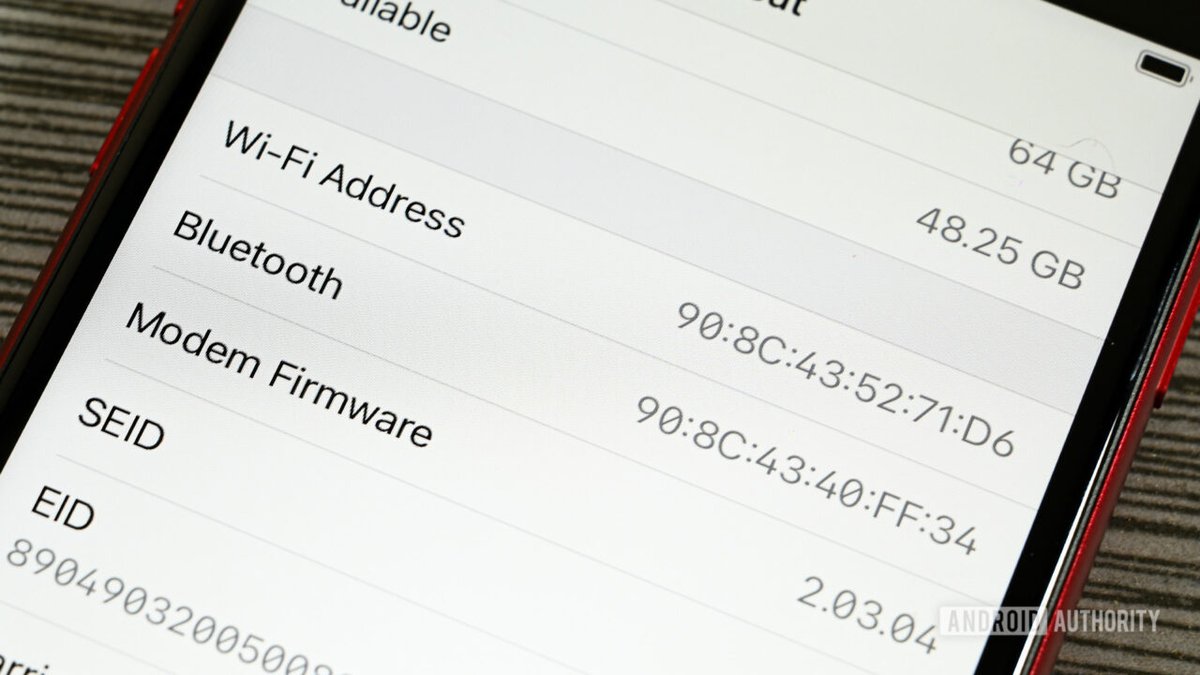
These addresses are typically displayed as six pairs of hexadecimal characters, separated by colons, hyphens, or dots (e.g., AA:BB:CC:DD:EE:FF). This seemingly simple string holds more information than you might think.
Decoding the MAC: OUI, Vendor, and Local Specifics
The first three bytes of a MAC address form the Organizationally Unique Identifier (OUI). This is a vendor prefix, allocated by the IEEE, that identifies the manufacturer of the network interface. For instance, a MAC address starting with 00:0C:29 typically belongs to a VMware virtual machine. The remaining three bytes are then assigned by the vendor to ensure global uniqueness for their hardware, creating what's known as a globally unique address.
However, not all MAC addresses are bound to a specific vendor.
The I/G and U/L Bits: Unicast, Multicast, Global, and Local Significance
The very first byte of a MAC address contains two crucial bits that define its behavior:
- I/G (Individual/Group) Bit (Bit 0): If this bit is
0, it's a unicast address, meaning it identifies a single, specific device. If it's1, it's a multicast or broadcast address, used to send data to a group of devices simultaneously. For most device identification, you'll want a unicast address. - U/L (Universal/Local) Bit (Bit 1): This is where generation gets interesting. If this bit is
0, the address is globally unique, meaning it's vendor-assigned and intended to be unique worldwide. If it's1, the address is locally administered. This means the address has been manually configured or generated by an operating system or tool, overriding the need for a globally unique vendor prefix. Locally administered addresses (LAAs) are absolutely essential for virtualization, privacy, and testing.
Understanding these bits is foundational to effectively generating MAC addresses that serve your specific purpose without causing network conflicts.
Why Generate MAC Addresses? Beyond the Physical
In an era dominated by virtualization, cloud computing, and privacy concerns, the static, hardware-bound nature of physical MAC addresses often falls short. Generating MAC addresses isn't about faking a device's identity to bypass security; it's about flexibility, control, and safeguarding information in dynamic digital environments.
The Rise of Virtualization and Containerization
Consider a modern data center running thousands of virtual machines (VMs) or containers. Each of these virtual entities needs a unique network identity to communicate. Relying solely on real hardware MACs is impractical and unnecessary. Virtualization platforms like VMware, VirtualBox, or Hyper-V automatically assign locally administered MACs to their virtual NICs to prevent conflicts and provide distinct identities without needing an actual physical OUI. This allows for rapid deployment, scaling, and migration of virtual workloads.
Enhancing Privacy in a Connected World
Privacy has become a paramount concern, and MAC addresses, being persistent identifiers, can contribute to user tracking. To combat this, modern operating systems and devices, notably Apple's iOS since version 8 (2014), employ MAC address randomization for Wi-Fi scans. Instead of broadcasting a device's true, static MAC, they use a random, locally administered MAC when probing for networks. This makes it harder for advertisers and surveillance systems to track individual users based on their network activity. This privacy-by-design approach makes MAC generation a critical feature in consumer tech.
Testing, Development, and Simulation: A Virtual Sandbox
For QA engineers, DevOps teams, and backend developers, the ability to generate MAC addresses is invaluable. Imagine needing to:
- Simulate Device Logs: Create thousands of unique device entries for testing a backend service that processes network traffic or IoT data.
- Validate MAC Address Fields: Ensure that web forms or APIs correctly accept and process valid MAC address inputs.
- Populate IoT Mockups: Generate a fleet of virtual IoT devices, each with a unique MAC, for integration testing without deploying physical hardware.
- Stress Test Routers: Simulate numerous connected devices to assess a router's performance under load.
- Develop Network Software: Test protocols and applications that rely on unique layer-2 identifiers.
In these scenarios, a quick, reliable way to produce a stream of unique, valid MAC addresses is a massive time-saver and a cornerstone of robust testing.
Security Research and Lab Environments
In security labs, researchers often need to spoof MAC addresses to test network vulnerabilities, analyze traffic patterns, or experiment with intrusion detection systems. Generating specific MAC addresses allows them to control the identity of test devices without affecting the production network or revealing real hardware identifiers. This includes simulating specific vendor devices (using their OUI with a local bit set) or testing how systems react to unusual MAC patterns.
Globally Unique vs. Locally Administered: Choosing Your Path
When it comes to MAC addresses, the distinction between globally unique and locally administered is paramount, especially for generation purposes.
Globally Unique Addresses: The Hardware Standard
These are the MACs you find on physical network cards. Their first three bytes represent a registered OUI, and the subsequent three bytes are assigned by the manufacturer to guarantee that no two physical devices in the world share the exact same MAC address. This global uniqueness is a cornerstone of reliable network communication. However, for virtual environments or privacy-focused applications, globally unique addresses can be problematic because they expose vendor information and are finite resources.
Locally Administered Addresses (LAAs): The Powerhouse for Generation
Locally administered addresses are your best friend when you need to generate MACs. By definition, an LAA sets the U/L bit (bit 1 of the first byte) to 1. This simple flag signals to the network that this address is not a globally unique, vendor-assigned identifier but rather one that has been locally assigned.
Benefits of LAAs for Generation:
- Conflict Avoidance: Since LAAs are explicitly marked as local, they are highly unlikely to conflict with any globally unique MAC addresses from hardware vendors. This means you can generate them freely without worrying about disrupting existing physical networks.
- Enhanced Privacy: For randomized MAC addresses used in Wi-Fi scanning or other privacy features, LAAs are the standard. They don't carry any vendor OUI information, making it harder to track devices over time.
- Flexibility and Control: You have full control over the entire 48-bit address, allowing you to create patterns, simulate specific scenarios, or simply generate truly random identifiers as needed for your virtual environments.
- Prevalence: You'll find LAAs extensively used in virtual machines, containers, and network emulation software, making them the de-facto standard for non-physical network identities.
For any scenario requiring the generation of MAC addresses for testing, virtualization, or privacy, focusing on creating unicast, locally administered addresses is the best practice.
Methods for MAC Address Generation: From Manual to Automated
Whether you need a single MAC for a quick test or a batch of thousands for a large-scale simulation, there are various methods to generate these addresses. The choice often depends on your technical comfort, the volume needed, and integration requirements.
Manual Generation (for Understanding)
While rarely practical for large volumes, understanding the manual process helps demystify MAC generation:
- Choose the First Byte (Important!):
- To ensure it's a unicast address, the I/G bit (bit 0) must be
0. - To ensure it's a locally administered address, the U/L bit (bit 1) must be
1. - This means the first byte, in binary, will look like
xx...x10(wherexcan be 0 or 1). - Common first bytes for LAAs are
02,06,0A,0E,B6,FA,FE, etc., in hexadecimal. For example,02in binary is00000010. The last two bits are10(U/L=1, I/G=0), making it a unicast, locally administered address.
- Randomize the Remaining Bytes: The subsequent five bytes (40 bits) can be completely random hexadecimal values.
- Assemble and Format: Combine the chosen first byte with five random bytes (e.g.,
02:1A:2B:3C:4D:5E).
This manual approach is great for learning but cumbersome for real-world application.
Scripting and Programmatic Approaches
For developers and system administrators, generating MAC addresses can be integrated directly into scripts and applications.
Python Example (Pseudocode/Logic):
python
import random
def generate_mac_address():
First byte: Ensure U/L=1 (locally administered) and I/G=0 (unicast)
This means the second-to-last bit is 1, and the last bit is 0.
A common way to achieve this is to generate a random number (0-FF),
then force the U/L bit and clear the I/G bit.
Example: (random_byte & 0xFC) | 0x02
0x02 is '00000010' in binary, setting U/L=1 and I/G=0.
first_byte = random.randint(0x00, 0xFF)
first_byte = (first_byte & 0xFC) | 0x02 # Set U/L bit to 1, I/G bit to 0
mac_parts = [f'{first_byte:02x}']
for _ in range(5):
mac_parts.append(f'{random.randint(0x00, 0xFF):02x}')
return ':'.join(mac_parts).upper()
Generate a single MAC
print(generate_mac_address())
Generate multiple MACs
for _ in range(5):
print(generate_mac_address())
This Pythonic approach offers immense flexibility, allowing you to generate MACs in batches, integrate them into data generation pipelines, or use them within automated testing frameworks. Similar logic can be applied in PowerShell, Bash, JavaScript, or any other programming language.
Leveraging Online MAC Address Generators (The Easiest Route)
For quick, on-demand generation without coding, online MAC address generators are incredibly convenient. These tools typically:
- Produce Valid Formats: Generate MACs in standard colon-separated, hyphen-separated, or plain hexadecimal formats.
- Ensure Safety and Privacy: They almost exclusively generate unicast, locally administered addresses, avoiding conflicts with real hardware and enhancing privacy.
- Offer Batch Generation: Need five, ten, or a hundred? Many allow you to specify the quantity.
- Provide Copy-Ready Output: Usually, a single click copies the generated addresses to your clipboard, ready for pasting into your scripts, logs, or configuration files.
- Require No Sign-up: Most are free and accessible instantly.
When you need to quickly Generate MAC addresses for testing or simulation, these web-based tools are often the most straightforward solution, saving you from writing code or digging through command-line utilities.
Essential Tools for Generating MAC Addresses
Beyond manual methods and custom scripts, a variety of tools can simplify MAC address generation, catering to different operating systems and use cases.
Online Generators: The Quick Solution
As mentioned, online MAC address generators are perfect for immediate needs. A quick search will reveal many options, all designed to offer ease of use, instant results, and copy-paste functionality. They're ideal for developers and QA personnel who need a handful of unique MACs without getting into system-level commands.
Operating System Built-ins and Utilities
Most operating systems offer ways to change or spoof MAC addresses, and with a little scripting, these can be leveraged for generation.
- Linux:
- The
ip link setcommand can be used to change a MAC address directly, e.g.,sudo ip link set dev eth0 address 02:XX:XX:XX:XX:XX. While not a generator itself, you can combine this with/dev/urandomor other random number generators in a shell script to create and apply new LAAs. - Tools like
macchanger(installable viaapt,yum, etc.) are specifically designed for changing MAC addresses, often with options to generate random, vendor-specific, or fully randomized LAAs. - macOS:
- Similar to Linux,
ifconfig(older) ornetworksetupcan be used to change MACs. For example,sudo ifconfig en0 ether 02:XX:XX:XX:XX:XX. Again, pair with a shell script for randomization. - Windows:
- Changing MAC addresses in Windows often involves editing the Registry or using specific third-party tools. PowerShell scripts can also interact with network adapter properties to set new MAC addresses programmatically. However, native generation of random LAAs isn't as straightforward as in Unix-like systems without custom scripting.
Virtualization Platforms
One of the most common places you encounter generated MAC addresses is within virtualization software:
- VMware, VirtualBox, Hyper-V, KVM: All these platforms automatically assign a MAC address to each virtual network adapter you create for a VM. These are almost always locally administered addresses. For example, VMware typically uses MACs starting with
00:0C:29, which is its OUI, but for the most part, it often uses locally administered addresses to avoid conflicts even within its own OUI space. Many allow you to manually specify a MAC or generate a new one if needed, often ensuring the LAA bit is set correctly.
Programming Libraries
For more complex applications or larger-scale data generation, programming libraries offer robust solutions:
- Python
fakerlibrary: While primarily for generating fake data (names, addresses, etc.),fakerincludes a MAC address generator that produces valid, often locally administered, MACs. - Standard Random Modules: As shown in the Python example, any language's random number generation capabilities can be combined with bit manipulation to construct valid LAAs. This is highly customizable and integrates well into existing codebases for dynamic data creation.
The versatility of these tools means you can choose the method that best fits your workflow, whether it's a quick online lookup or a deeply integrated programmatic solution.
Best Practices and Safety When Generating MACs
Generating MAC addresses is a powerful capability, but with power comes responsibility. Adhering to best practices ensures your generated addresses are effective, prevent network issues, and respect privacy and security considerations.
Stick to Unicast (I/G=0) for Most Use Cases
Unless you are explicitly testing multicast applications (like streaming media distribution, mDNS, or specific IPv4 multicast scenarios), always generate unicast MAC addresses. Multicast MACs are designed to address groups, not individual devices, and using them for general device identity can lead to unexpected network behavior or communication failures. The default behavior of most generators is to produce unicast addresses, which is generally what you want.
Avoid Reserved MACs: All Zeros and All FF
Certain MAC addresses have special meanings and should be avoided for general device identification:
00:00:00:00:00:00(All Zeros): This is typically a null or unassigned address and can cause issues with network equipment or lead to unexpected behavior.FF:FF:FF:FF:FF:FF(All FFs): This is the broadcast address, used to send data to all devices on a local network segment. Assigning it to a specific device will disrupt normal network operation.
Good generators inherently avoid these reserved values, but if you're scripting your own, be sure to exclude them.
Be Mindful of Network Policies
In a shared network environment, especially corporate or managed networks, policies like MAC filtering or security bindings might be in place. Changing a device's MAC address (even a virtual one) could trigger security alerts, block access, or create conflicts if the network expects specific MACs. Always confirm with network administrators or understand the network's policies before deploying devices with custom-generated MAC addresses.
For Vendor-Like Addresses: Use a Known OUI but Set U/L=1
If you need to simulate a device from a specific vendor (e.g., testing how your network handles Cisco devices), you can use that vendor's OUI for the first three bytes. However, to prevent conflicts with real hardware from that vendor, you must still set the U/L bit of the first byte to 1, making it a locally administered address. This allows you to retain the vendor "look" without claiming a globally unique address that might already be in use.
Test for Conflicts
While locally administered addresses are designed to prevent conflicts with globally unique ones, it's still good practice to test for conflicts, especially in large or complex virtual environments. If two virtual devices accidentally receive the same generated LAA within the same network segment, it can lead to communication issues, dropped packets, and network instability. Random generation usually mitigates this, but vigilance is key.
Advanced Considerations & Key Insights
The world of MAC addresses continues to evolve, with new standards and applications constantly emerging. A comprehensive understanding benefits from a look at these advanced facets.
The Future: EUI-64 and IPv6
While 48-bit MAC addresses are ubiquitous with current Wi-Fi and Ethernet, a newer standard called EUI-64 (Extended Unique Identifier, 64-bit) is emerging. These longer addresses are already implicitly embedded in IPv6 link-local addresses. IPv6 leverages a device's EUI-64 to form part of its unique link-local address, offering greater address space and built-in uniqueness. As IPv6 adoption grows, understanding EUI-64 generation might become more relevant.
Multicast MACs: When and Why
We've emphasized unicast for most device identification, but multicast MACs (where the I/G bit is 1) have their place. They are crucial for:
- IPv4 Multicast: Enabling efficient one-to-many communication for applications like video streaming or financial data distribution.
- mDNS (Multicast DNS): Used by technologies like Apple's Bonjour or Zeroconf to discover services and devices on a local network without a central DNS server.
Understanding how to generate a multicast MAC (simply by setting the I/G bit of the first byte to1) is important if you're testing these specific networking features.
OUI Costs and Vendor Landscape
OUIs are not free; they are sold by the IEEE (which took over from IANA for this particular allocation) for a significant fee (around $3,000 per block). This cost, along with the limited supply of unique OUIs, highlights why locally administered addresses are so vital for virtualization and non-physical device identities. Large vendors might own hundreds or even thousands of OUI blocks to cover their extensive product lines. This economic reality further reinforces the importance of LAAs for anything other than physical hardware.
Common Questions and Misconceptions
Let's address some common queries and clear up misunderstandings about MAC address generation.
"Can I just pick any random MAC address?"
Not quite. While much of a generated MAC address will be random, you can't just pick six random bytes. You must ensure the first byte correctly sets the U/L bit to 1 (locally administered) and, for most applications, the I/G bit to 0 (unicast). Skipping this step risks creating an address that either conflicts with a real device's globally unique MAC or behaves like a multicast address when it shouldn't.
"Will changing my MAC address make me untraceable?"
Changing your MAC address, or using MAC randomization, enhances privacy by making it harder to track your device at the local network level. For example, it prevents Wi-Fi network owners from seeing that "Device A" (with its unique MAC) returned after a week. However, it's not a foolproof anonymity solution. Your IP address, browser fingerprint, cookies, and other online identifiers can still be used to track you across the internet. MAC randomization is one layer of a multi-layered privacy strategy.
"Do I need a real OUI for testing my virtual devices?"
Generally, no. For most testing and virtual device simulation, using a locally administered address (LAA) is superior. LAAs prevent conflicts with real hardware, offer greater flexibility, and don't require you to "borrow" a vendor's OUI. If you specifically need to test how a system reacts to a known vendor's OUI, you can use that OUI for the first three bytes but still set the U/L bit to 1 in the first byte to ensure it's locally administered and non-conflicting.
Empowering Your Network Simulation and Testing
In a world increasingly reliant on virtual infrastructure and robust testing, the ability to effectively generate MAC addresses is more than a technical trick—it's a fundamental skill. By understanding the underlying structure, the significance of globally unique versus locally administered addresses, and the tools at your disposal, you gain a powerful capability.
Whether you're spinning up thousands of virtual machines, conducting meticulous security research, or simply validating an API's handling of network identifiers, mastering the methods and tools for MAC address generation simplifies your workflow. It empowers you to create controlled, flexible, and conflict-free testing environments, ensuring your virtual devices communicate flawlessly and your systems are robustly prepared for the demands of the modern network landscape.